
RoboCat Casino Mobile App – Installation Guide
You want to take RoboCat with you everywhere, and we completely get it.
Our mobile platform lets you spin, bet and grab bonuses wherever you are, using the same account, balance and promotions you already know from desktop.
Introduction to RoboCat Mobile Platform
Here is the thing, RoboCat has been built with mobile in mind from day one, not as an afterthought.
The full website automatically adapts to smaller screens so you can move through games, promos and payments with your thumb instead of a mouse.
On mobile, you still get access to:
- Casino and live casino sections with hundreds of games.
- Jackpots, instant games and table games.
- Sports, live betting and virtual sports.
- Promotions, tournaments, VIP levels and gamified features like RoboSlot and Bonus Crab.
All menus and buttons have been tuned for tap gestures, which means you do not have to zoom in and out just to hit “Spin” or “Place Bet.”
Accessing RoboCat on Mobile Devices
You do not need to dig around app stores or mess with APKs to start playing RoboCat on your phone.
You only need your favourite browser, an internet connection and your regular RoboCat login details.
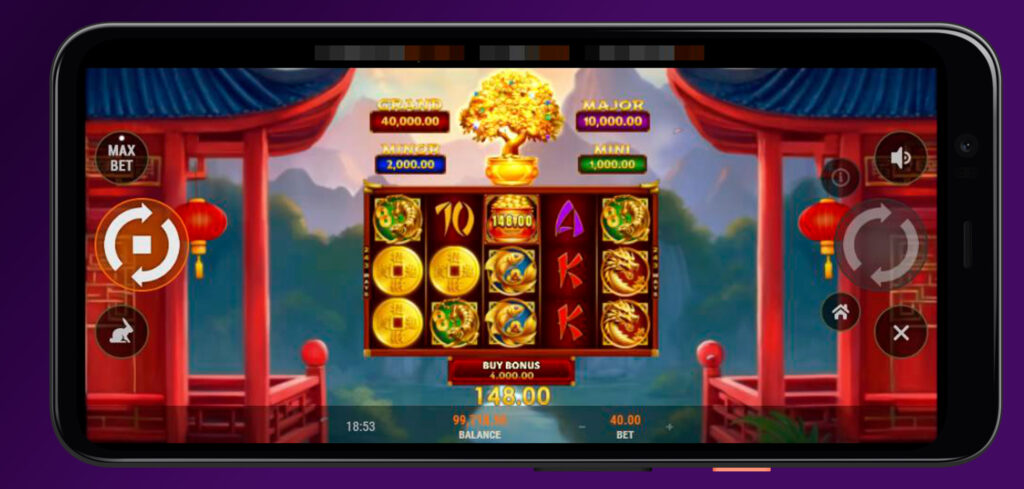
Browser-Based Mobile Casino
RoboCat runs directly in your mobile browser using HTML5, so you do not have to install any extra APK to play.
Chrome, Safari and most modern Android or iOS browsers will handle the Robocat Casino site without a problem.
When you open robocat.com on your phone, the site switches to a mobile layout with:
- A compact header for quick access to search, log in and register.
- A slide-out sidebar that takes you to Casino, Live Casino, Jackpots and Sports pages.
- Footer shortcuts to key sections like Slots, All games, Instant Games, Live betting and Virtual sports.
From there, you can:
- Jump straight into Slots, Top, New, Popular or Exclusive games.
- Enter Live Casino categories like Roulette, Blackjack, Baccarat or Game Shows.
- Switch to Sports, Live Betting or Virtual Sports with one tap.
There is also a handy “Create Shortcut” option in the mobile footer that lets you add RoboCat to your home screen, so it behaves like a native app icon you can tap any time.
Compatible Devices and Requirements
RoboCat works on most modern smartphones and tablets that support secure browsing and HTML5 content without downloading an APK.
You do not need a super high-end device, but you will have a smoother experience if your phone is not ancient and your browser is up to date.
In general, you will want:
- A stable internet connection, preferably Wi Fi or good 4G/5G for live casino and streams.
- An updated version of Chrome, Safari or another mainstream mobile browser.
- Cookies and JavaScript are enabled, so logins and games work correctly.
The site is available in English and other languages, and you can change your language from the sidebar or footer if your phone is set to something else.
Mobile Registration and Login Process
Now, let’s walk through how you actually register and log in from your phone without touching a computer or Robocat APK.
Creating Your Account on Mobile
Forget about downloading the Robocat app. To create a new RoboCat account on mobile, you:
- Open robocat.com in your browser.
- Tap “Register” in the header.
- Fill in the registration fields with your real details.
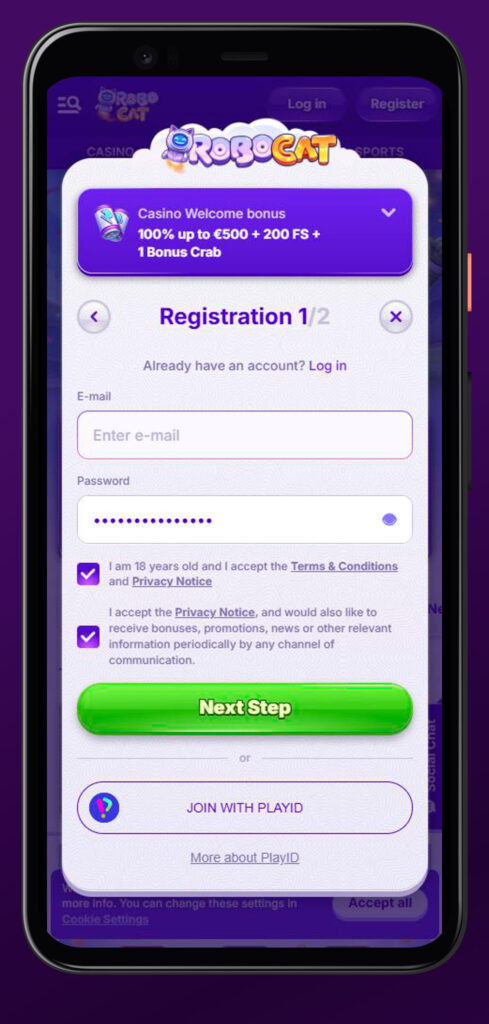
You must:
- Be at least 18 years old (or older, if your local law requires it).
- Be legally allowed to gamble online in your country.
- Provide accurate personal data such as full name, date of birth, address, email and phone number.
Only one account per person, household address, IP address, phone number, email, device and shared computer is allowed.
If we detect duplicate or linked accounts, we can close them and cancel bonuses or winnings connected with them.
You also agree to keep your profile up to date, which means if you change address, phone number or email, you update it in your RoboCat account settings.
Signing In Across Devices + PlayID
When your account is created, logging in from mobile is simple.
You tap “Log in,” enter your credentials, and you will see your full balance, history and bonuses.
A few important rules:
- You are responsible for keeping your username and password secret.
- You must never let anyone else access your account or share your login details.
- Any action done from your account with the correct login and password is considered your action.
You can log into the same account on desktop, laptop, tablet and phone, and your balance, active bonuses, Energy and tournament progress stay synced.
If you forget your password, you can use the password reset process directly from mobile, or contact support through the Help Centre or live chat.
Mobile Games & Sports Betting Features
Now, let’s talk about what you can actually play on your phone, because this is where RoboCat gets fun.
Slot Games on Mobile
Slots are the heart of RoboCat Casino, and they work beautifully on mobile.
You can browse:
- Top slots that are trending right now.
- New releases that have just landed in the lobby.
- Popular evergreen titles that everyone keeps coming back to.
- Exclusive games that you will not see on every other site.
- Bonus Buy slots if you like jumping straight into feature rounds.
All of these open in a mobile optimised game window where you can:
- Spin in portrait for one-handed play, or rotate to landscape if you prefer.
- Use touch controls for bet size, auto spins and turbo mode where available.
- Access game rules and paytables via compact menus designed for touch.
Since RoboCat uses not a app but a browser-based platform, you do not download game clients; everything streams instantly as long as your connection is stable.
Live Casino on Mobile
If you like that real casino vibe, the live section is fully available on your phone.
From the Live Casino menu, you can jump into:
- Roulette lobbies and localised tables.
- Blackjack tables, including variations and VIP limits.
- Baccarat and dice games.
- Live poker formats.
- Game shows and special lobbies, including Gold Saloon.
Streams open in a mobile player where you see the dealer or host, plus a touch-friendly betting UI.
You can:
- Choose chip values with your thumb.
- Place bets directly on the virtual table or betting layout.
- Use full-screen mode to focus on the action.
Just keep in mind that live casino uses a bit more data and needs a stable connection, so Wi Fi or solid 4G/5G is your best friend.
Instant Games and Table Games
Some days you might not want classic slots or long live sessions, which is where instant and table games shine on mobile.
In Instant Games, you will find:
- Crash-style games where you cash out before the multiplier busts.
- Arcade and mini games with quick rounds and simple interfaces.
- Other fast-action titles that feel great on a phone screen.
Table Games give you:
- RNG roulette, blackjack and baccarat that you can play at your own pace.
- Poker variants, dice games and more.
All Robocat Casino table and instant games are trimmed to fit mobile resolution, so betting areas and buttons stay large enough to hit comfortably with your thumb.
Pre-Match and Live Betting
Sports fans are covered too, because you can bet pre-match and live from the same Robocat Casino mobile account.
The “Sports” page lets you browse leagues, events and markets, while “Live Betting” focuses on matches that are happening right now.
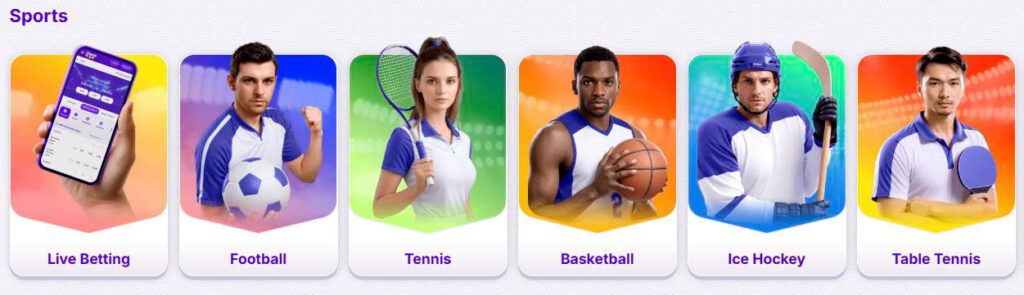
On the Robocat Casino mobile, you can:
- Scroll through events and filter by sport.
- Open individual match pages to see markets and odds.
- Build singles, combos and system bets.
- Track live odds changes and react quickly with a couple of taps.
Your slip is optimised for small screens, so you can adjust stakes, remove legs and see potential payout without excessive scrolling. All these features work without the Robocat Casino application.
Virtual Sports on Mobile
If there are no real matches you like or you just want non-stop action at odd hours, virtual sports are a solid backup.
The “Virtual Sports” page on mobile gives you simulated events that run 24/7 with:
- Repeated virtual football, and potentially other sports, depending on the lobby.
- Fixed schedules so you always know when the next event starts.
You bet on virtual sports almost exactly like you would on real matches, using the same account and wallet.
Because everything is integrated, your casino wins and sports bets feed into the same balance, which you can see at the top of the screen while you play.
Advantages of RoboCat Mobile Platform
We do not want our mobile site to feel like a “lite” version of the Robocat Casino app.
We want you to feel like you have the full RoboCat experience in your pocket.
With Robocat Casino iOS or Android, you still get:
- The full casino, live casino, jackpots, table games and instant games catalogue.
- Complete access to sports, live betting and virtual sports.
- All promotions, bonuses, tournaments and VIP levels.
- Access to RoboSlot, Bonus Crab and other gamified features when they are available.
And you can also:
- Make deposits and withdrawals with the same payment methods like cards, e-wallets, local solutions and more.
- Trigger bonuses and enter promo codes while you are on mobile.
- Contact support through live chat and the Help Centre without switching devices.
In short, you can start a session on a desktop at home, switch to your phone on the way out and then finish on a tablet later, without the Robocat Casino application and losing track of your bets, balance or progress.
FAQ
No, you do not need a separate Robocat app; you just open robocat.com in your mobile browser and optionally add a shortcut to your home screen for one-tap access.
Yes, you can complete the full registration process on mobile, as long as you are over 18, legally allowed to gamble in your country and only create one account per person and household.
You can access slots, table games, instant games, jackpots and live casino on mobile; a few older or niche titles might be desktop only, but the main game library is mobile-friendly.
Yes, the Sports, Live Betting and Virtual Sports sections are fully available on mobile, with the same markets, odds and bet types that you see on desktop.
Yes, the site uses secure, encrypted connections, and as long as you keep your login details private and avoid sharing your account, mobile play is just as safe as desktop.
You use a single unified account and wallet across all devices, which means your deposits, bonuses, bets and winnings appear the same wherever you log in.
Yes, you can open the Community Chat and Help Centre from your phone, and you will see a chat button that lets you talk to support without leaving the page you are on.